
What a price checker is: a price query terminal that reads barcodes
A price checker consists of a touchscreen, a two-dimensional scan engine, a mainboard and a fixed stand: the engine reads the product barcode, the mainboard sends it to a local price table or the store system, and the screen shows the name, specs, unit price and member price. It solves one problem: a shopper wants to know the price and cannot find anyone to ask.
Four steps in one query
- The shopper holds the product barcode to the scan window; the engine images and decodes it at 640×480.
- The barcode data goes to the local app over USB, serial or network.
- The app queries the local price table or calls the store system interface and gets the name, specs, price and stock.
- The screen shows the result, plus member price, promotion notes and a QR code where needed.
How it divides work with self-checkout and electronic shelf labels
Electronic shelf labelIt solves shelf pricing and syncs price changes automatically, but it does not answer what this item actually costs or whether another variant exists.
Self-checkout machineIt solves checkout, with a cash drawer, a scan platform and a payment module, at higher cost and with more floor space.
Price checkersIt solves the price question at an order of magnitude lower cost than self-checkout, mounts in flexible positions, and covers what electronic labels miss.
The differences across 9 models, in one table
Size and system are the first filters. Once those two are set, review ports and options, and you avoid most of the wrong turns.
| Models | System | Screen | Resolution | Mainboard / RAM | Housing (mm) | Weight | Power |
|---|---|---|---|---|---|---|---|
| XT802C | Android 11 | 5″ | 720×1280 | RK3566 / 4G+64G | 148×110×40 | 500g | DC 12V / POE |
| XT802D | Android 11 | 8″ | 800×1280 | RK3566 / 4G+64G | 212×143×37 | 732g | DC 12V / POE |
| XT802E | Android 11 | 10.1″ | 800×1280 | RK3566 / 4G+64G | 242×173×35 | 878g | DC 12V / POE |
| XT802F | Android 11 | 15.6″ | 1366×768 | RK3566 / 4G+64G | 382×261×35 | 2.38kg | DC 12V / POE |
| XT802E-X86 | Windows 10 | 10.1″ | Capacitive touchscreen | J1900 / 4G+64G | Per drawing | — | DC 12V |
| XT802F-X86 | Windows 10 | 15.6″ | 1366×768 | J1900 / 4G+64G | Per drawing | — | DC 12V |
| XT802G-X86 | Windows 10 | 11.6″ | Capacitive touchscreen | J4125 / 8G+128G | Per drawing | — | DC 12V |
| XTCM215 | Windows | 21.5″ | 1080×1920 | J1900 / 4G+64G SSD | To be measured | To be measured | Built-in 220V |
| XTCM320 | Windows 10 | 32″ | 1080×1920 | i5-3320M / 4G+128G SSD | To be measured | To be measured | Built-in 220V |
The housing dimensions of the XT802E-X86, XT802F-X86 and XT802G-X86 are not listed in the current datasheet; confirm them on the structural drawing for the ordered model. The XTCM215 and XTCM320 share the same datasheet dimensions and weight, to be updated after measurement, so this table shows To be measured.
Three questions settle the model
1. Where does it mount, and how far from shoppers?
Shelf endcap 30–50cm → 5 or 8-inch; aisle entrance 1–1.5m → 10.1 or 15.6-inch; store entrance 2m or more → 21.5 or 32-inch.
2. What software runs on it?
Web page or Android app → Android version; Windows client, serial drivers, ActiveX → X86 version; dual Ethernet ports → XT802G-X86.
3. Is there mains power and an Ethernet port on site?
Network cable only → POE version; power outlet available → DC 12V version; one power cord for everything → 21.5/32-inch models with built-in 220V.
Four details that are easy to miss
| Detail | Why it matters | How to check |
|---|---|---|
| Scan window height | It decides whether shoppers have to bend. The window sits below the screen: with the screen center at 1.35–1.45m, the window is at about 1.1–1.2m | Try it once with shoppers 155–180cm tall |
| Glass reflections | When the scan window faces a spotlight or a shop window, the engine reads the reflection as noise | Test it under store lighting after installation and adjust the angle by 10–15° if needed |
| Clearance for airflow | The 802 series uses fanless passive cooling; mounted too close to a wall, heat builds up | Leave 3–5cm at the back and do not enclose it in a sealed wooden box |
| System lockdown | If a shopper exits the app they see the desktop, which looks unfinished and carries risk | Use a dedicated launcher on Android and a restricted account plus UWF on Windows |
CE, FCC, RoHS and a design patent, all issued for the XT802 series
The main model XT802E holds a CE certificate of compliance (TST20240304557-1RC), an FCC grant (FCC ID 2BFYT-XT802E) and a RoHS certificate (DTI20241453C), and the series models that share the same circuit are covered by the same documents. The XT802 series housing also holds a design patent (ZL 2023 3 0318773.4). The Windows models and XTCM215, XTCM320 are outside these three certificates; their certification is confirmed per project.
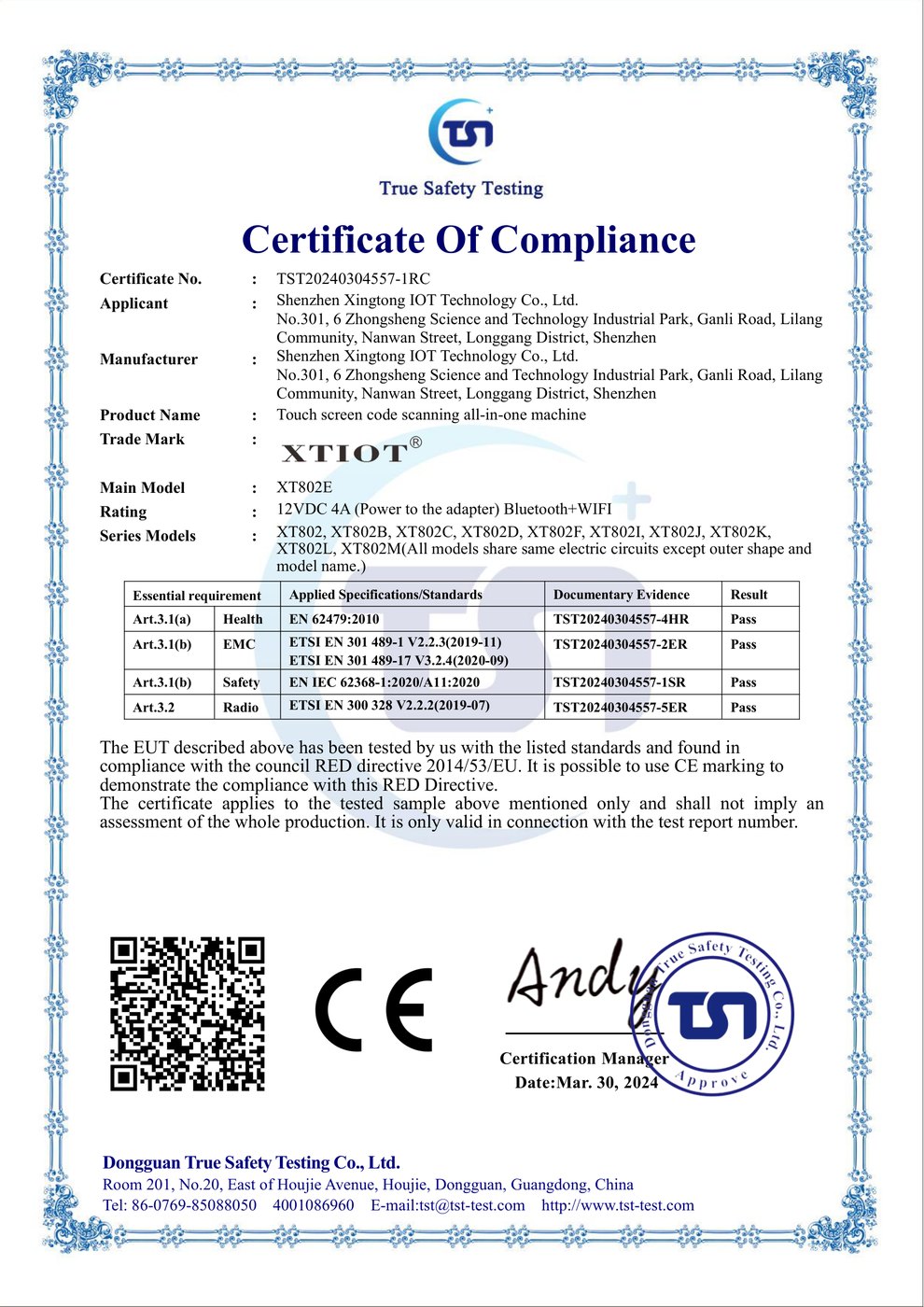
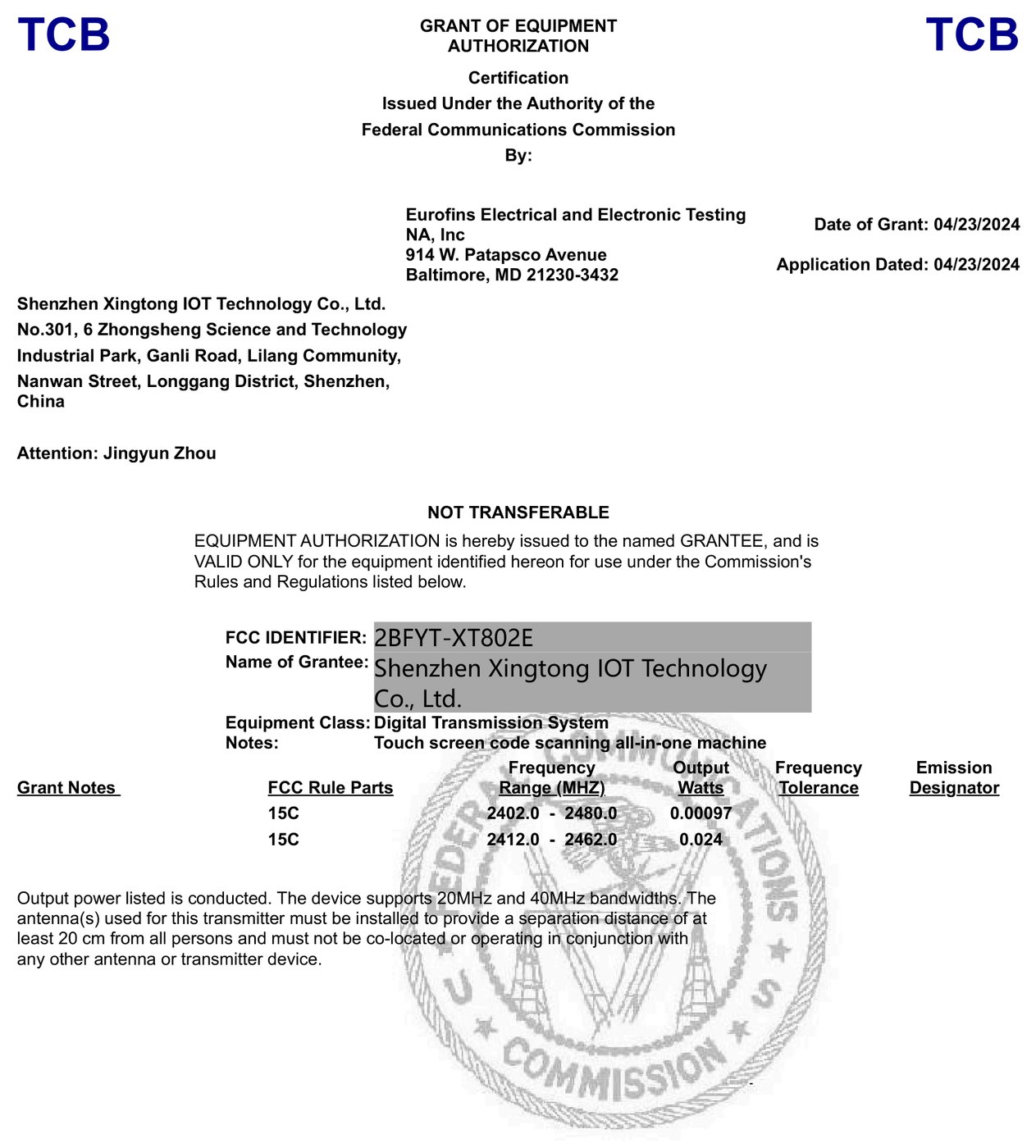
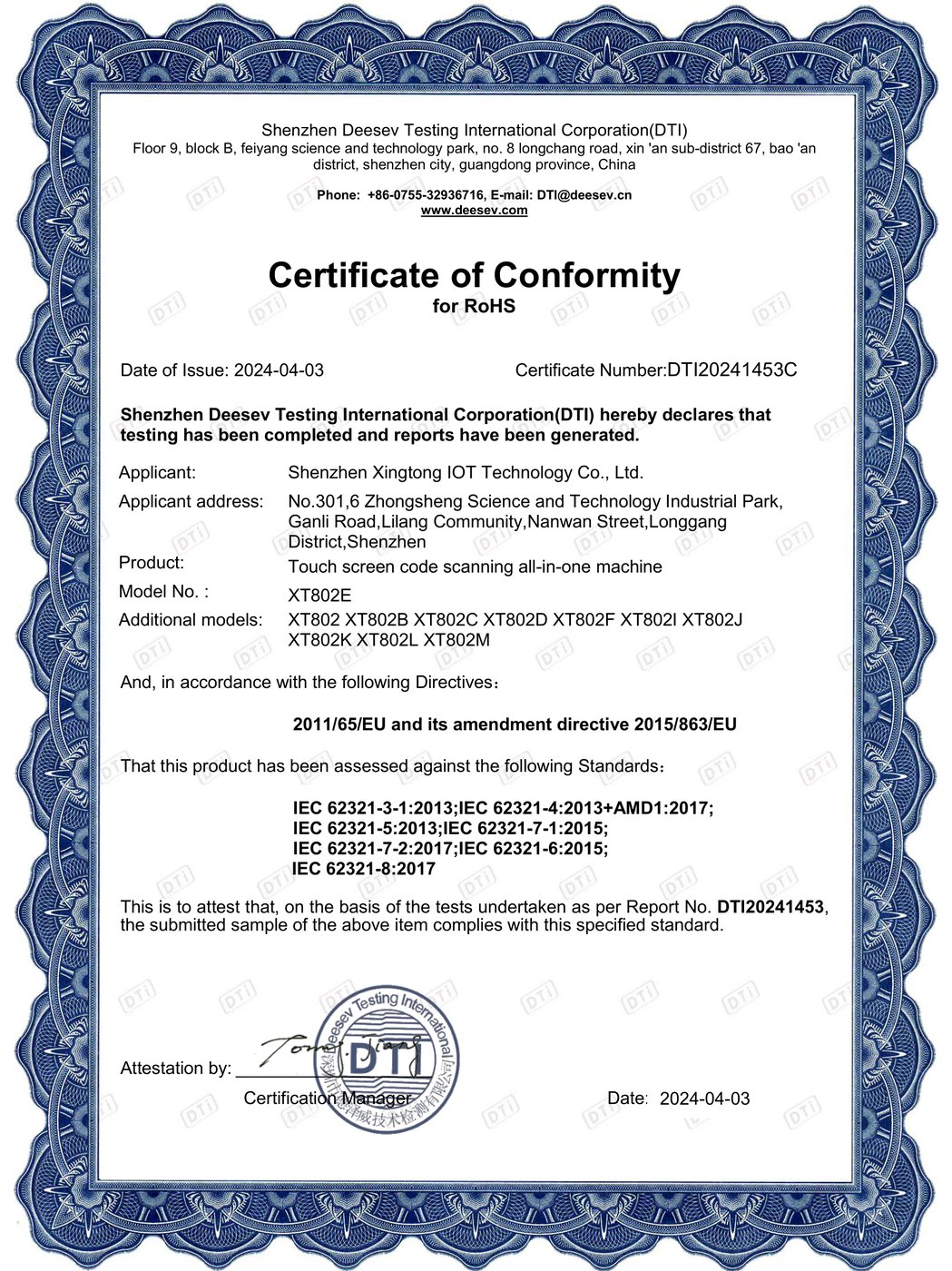
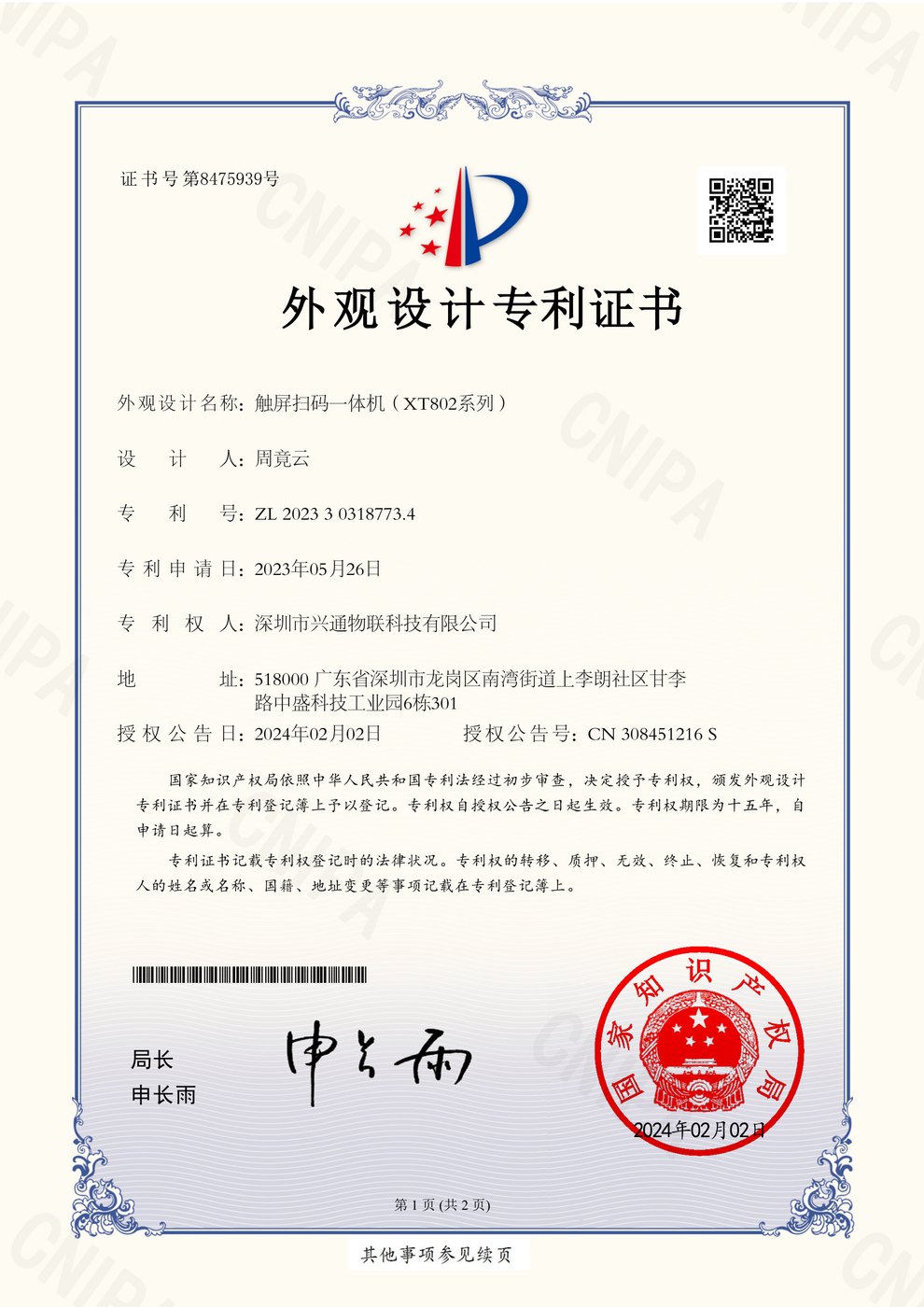
The CE certificate names XT802E as the main model and lists XT802, XT802B, XT802C, XT802D, XT802F, XT802I, XT802J, XT802K, XT802L and XT802M as series models sharing the same circuit; the FCC grant covers 2412-2480 MHz and 2412-2462 MHz; RoHS is assessed against 2011/65/EU and 2015/863/EU. Full certificates and the coverage note are on the About page.
Questions about price checkers
Does a price checker need a network?
Depends on the software plan. With a store system you need a network, wired or WiFi; with a local price table only, the table ships inside the app and works offline, but price updates must be pushed again.
Can the scan engine read a phone screen?
Yes. The two-dimensional imaging engine reads paper labels and screen codes, including QR, payment and membership codes on phones. With a privacy film or very low brightness, reading distance shortens and exposure needs on-site calibration.
What screen size fits?
Set it by viewing distance: 5 to 8-inch within 50cm, 10.1-inch at about 1m, 15.6-inch at about 1.5m, 21.5 to 32-inch beyond 2m. See Size guide for the full table.
Can it show the member price at the same time?
Yes. How many price lines the screen shows is up to the app; the hardware only passes the barcode through and displays the result. Member prices require the app to identify the member, by card, code or phone number login.
How many years will one unit last?
There is no single answer; it depends on operating hours, ambient temperature and power quality. For public sites, budget for a refresh in 3 to 5 years and keep a system image that can be restored remotely to reduce site visits.
Is it in stock, and what is the lead time?
Standard models are scheduled to order; lead time depends on quantity, configuration and whether the housing is customized, so confirm with sales. Samples can be arranged separately.
Get a configuration list drawn for your store
Send us the store type, mounting position, quantity and software environment, and we return a list with models, accessories and mounting method.