
Self-Service Lottery and Ticket Checks: Scan, Verify, Claim Guidance
Lookups at a lottery shop or ticket window follow a fixed pattern: scan the barcode on the ticket to check the number, read the draw results, check the claim rules. The 8-inch XT802D wall-mounted model and the 15.6-inch XT802F-X86 cover most of this work.
Where these stores usually get stuck
Ticket numbers checked by hand
Customers bring a ticket and ask whether it won, so staff check digit by digit, which invites errors at busy times.
Draw results change often
Draw results and jackpot amounts change daily, and printed notices cannot keep up.
Claim rules take time to explain
Claim locations and deadlines differ by game and prize tier, so staff explain the same thing again and again.
Match models to positions
Each row maps to a real mounting position, not a blanket claim that all 9 models work anywhere.
| Mounting position | Recommended model | Why |
|---|---|---|
| Wall-mounted beside the counter | XT802D (8-inch) | Wall-mounted, so customers hold the ticket code up to the scan window and the screen shows the check result and draw information. |
| Self-service at the window | XT802F-X86 (15.6-inch, Windows) | The larger screen fits draw trend charts and rule text, and the Windows platform connects easily to local ticketing software. |
| Shop entrance | XT802E (10.1-inch) | Mounted on a column or wall to show today's draw numbers and promotion notices. |
Five steps from site visit to go-live
- Confirm the code type on the ticket: lottery tickets usually carry PDF417 or a QR code, the engine is tuned per symbology, and PDF417 needs enough depth of field.
- Pull draw data from the official interface or the local ticketing system and show the data update time on the page, so customers do not act on stale results.
- Split claim rules by game across pages instead of one long screen, where customers cannot find the point.
- Place the unit on the customer side of the counter so nobody reaches across it, and route cables inside the counter.
Lottery and Ticketing FAQ
Can it read creased or glare-covered tickets?
Light creasing and ordinary glare are readable. Read rates drop when the thermal paper is rubbed away in a spot or the barcode sits under reflective tape; flattening the ticket and moving it out of direct ceiling light usually restores the read.
Does it read PDF417?
Yes. The two-dimensional engine reads PDF417, Micro PDF, Data Matrix, QR and Aztec. PDF417 carries a lot of data, so aim at the whole code area and hold a distance of 10–20cm.
Draw data changes daily. Does the page need manual edits?
No. The page reads from a data interface supplied by the ticketing system or an official source; without an interface, a back-end table updated once a day works as a start.
Recommended models for this scenario
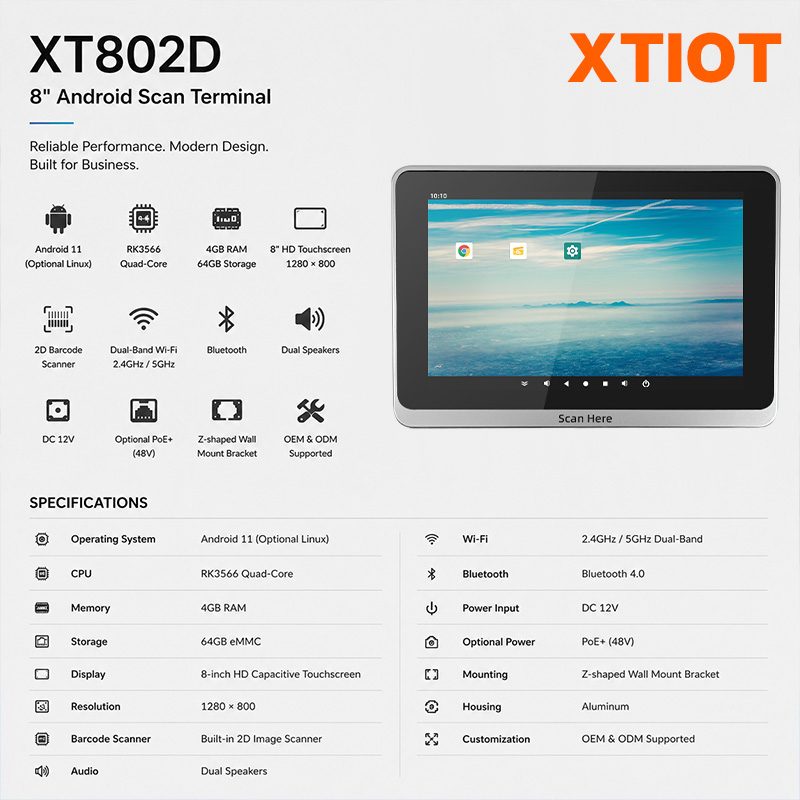
XT802D
The XT802D is an 8-inch Android 11 price checker with an 800×1280 capacitive touchscreen, RK3566 quad-core at 1.8GHz, ...
See specs and selection →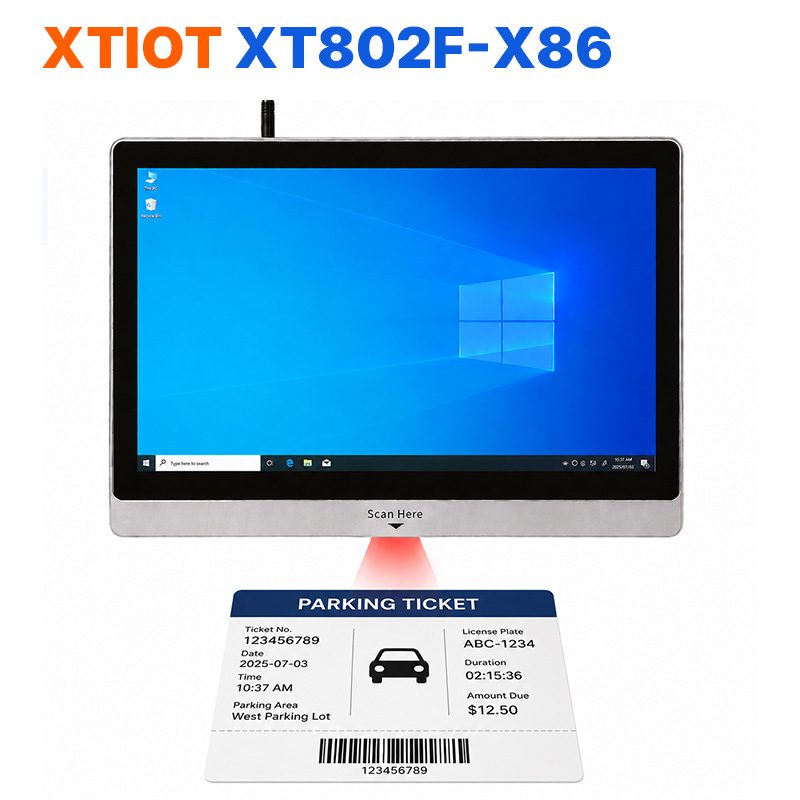
XT802F-X86
XT802F-X86 is a 15.6-inch Windows 10 price checker: 1366×768 capacitive touchscreen, ...
See specs and selection →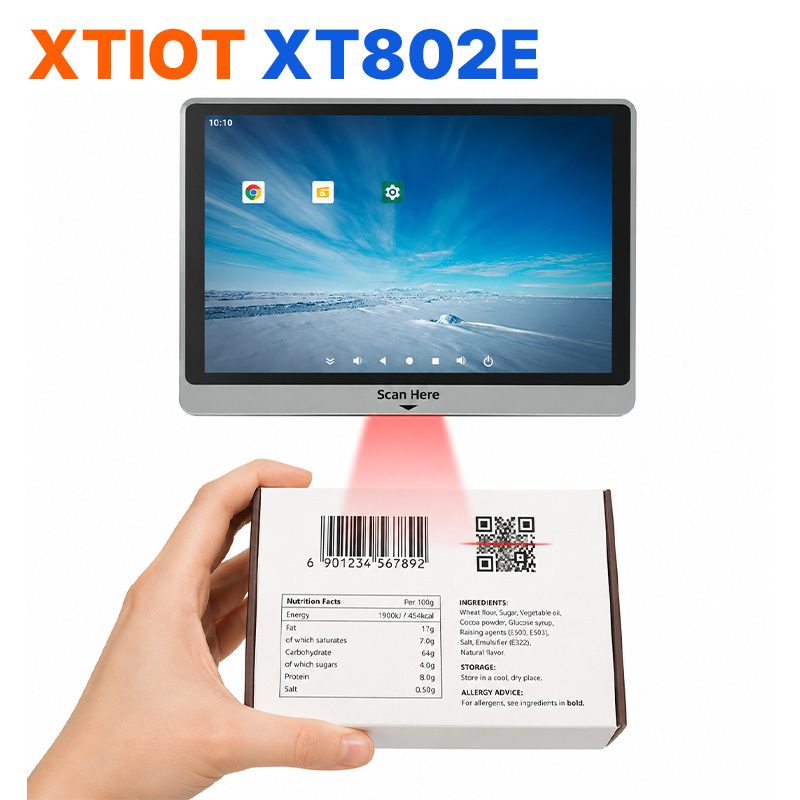
XT802E
The XT802E is a 10.1-inch Android 11 price checker with an 800×1280 capacitive touchscreen, RK3566 quad-core at 1.8GHz, ...
See specs and selection →Get a configuration list for your store
Send us your store type, floor area and the number of mounting positions, and we will return a list with model quantities and mounting methods.