
Apparel stores: price is only the start, customers also check size, stock and styling
Apparel stores ask more than supermarkets do: customers want to know whether the item comes in another color or size, and whether a nearby store has it in stock. The 8-inch XT802D suits the shelf side; the 21.5-inch XTCM215 suits a styling screen outside the fitting room.
Where these stores usually get stuck
Tag price and promotional price disagree
Seasonal markdowns, spend-and-save offers and member discounts stack on top of each other, so the tag price is no longer the reference.
Size and color stock is scattered
A customer holds up a sample and asks for a size M; the associate has to check the stockroom or the system.
Nowhere to browse while waiting for a fitting room
Customers waiting outside the fitting room have nothing to look at and drift to other brands.
Match models to positions
Each row maps to a real mounting position, not a blanket claim that all 9 models work anywhere.
| Mounting position | Recommended model | Why |
|---|---|---|
| Next to sales floor shelving | XT802D (8-inch) | Scan the tag barcode to see price, colors, sizes and stock status; mounts on a wall or a post. |
| Outside fitting rooms and at floor entrances | XTCM215 (21.5-inch portrait) | The portrait screen suits styling recommendations, floor guides and new arrivals; ten-point touch lets two people use it at once. |
| Entrance promotion spot | XT802F (15.6-inch) | Landscape screen for enlarged images and campaign details, readable while walking past. |
Five steps from site visit to go-live
- Confirm the tag code type first: most apparel tags are EAN-13 or Code128, which the default scan engine reads.
- Stock data has to come from the store system or the head office platform; show it in two columns, this store and nearby stores, so customers do not misread it.
- If the screen outside the fitting room needs privacy, lower the brightness one step and adjust the mounting angle rather than applying a privacy film, which reduces touch sensitivity.
- Seasonal campaigns change often, so build the page as a template the back end can edit instead of shipping a new release each time.
Apparel store FAQ
Can it read the QR code on a hang tag?
Yes. Both one-dimensional tag barcodes and QR codes work, including the small codes printed on fabric labels. If the label is creased or covered by the garment, hold the scan window 5–10cm from the code.
Is a 21.5-inch portrait screen good for styling recommendations?
Yes. The portrait ratio is close to a phone, so a vertical styling list feels natural, and at 1080×1920 two columns of product images stay sharp.
Can we restrict it to staff and keep customers out?
Yes. Set badge or password access in the software, or place the unit inside the counter. The hardware has no access control of its own; permissions belong in the app.
Recommended models for this scenario
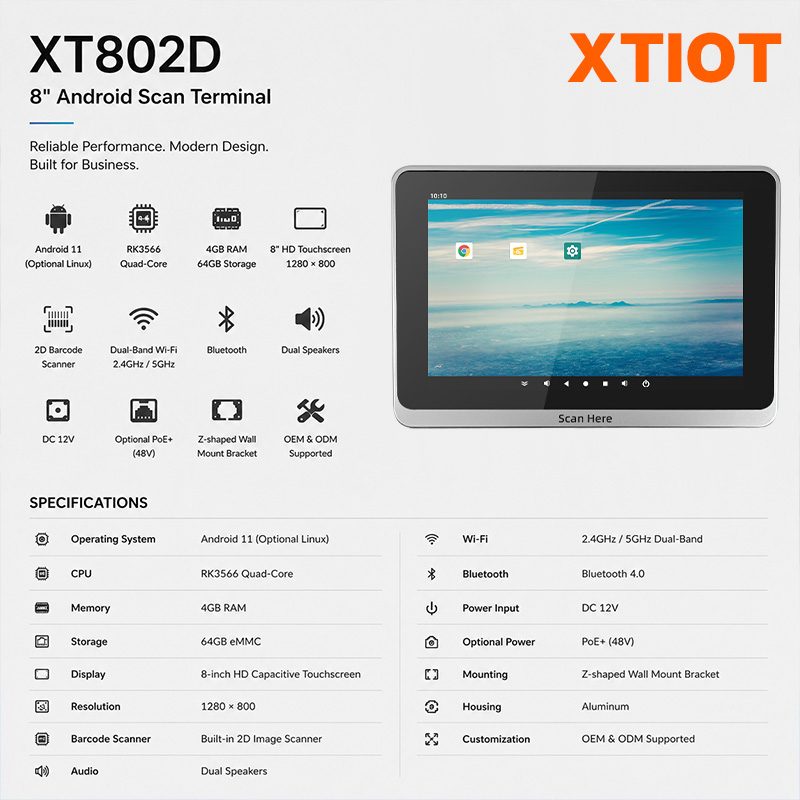
XT802D
The XT802D is an 8-inch Android 11 price checker with an 800×1280 capacitive touchscreen, RK3566 quad-core at 1.8GHz, ...
See specs and selection →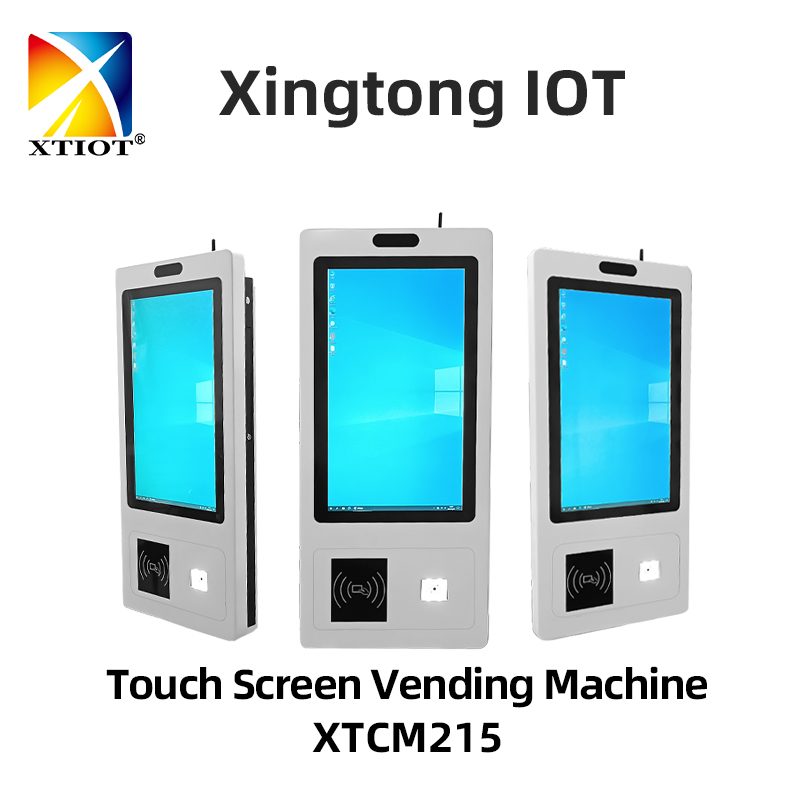
XTCM215
The XTCM215 is a 21.5-inch Windows touchscreen query terminal with a 1080×1920 portrait screen, ten-point capacitive touch, ...
See specs and selection →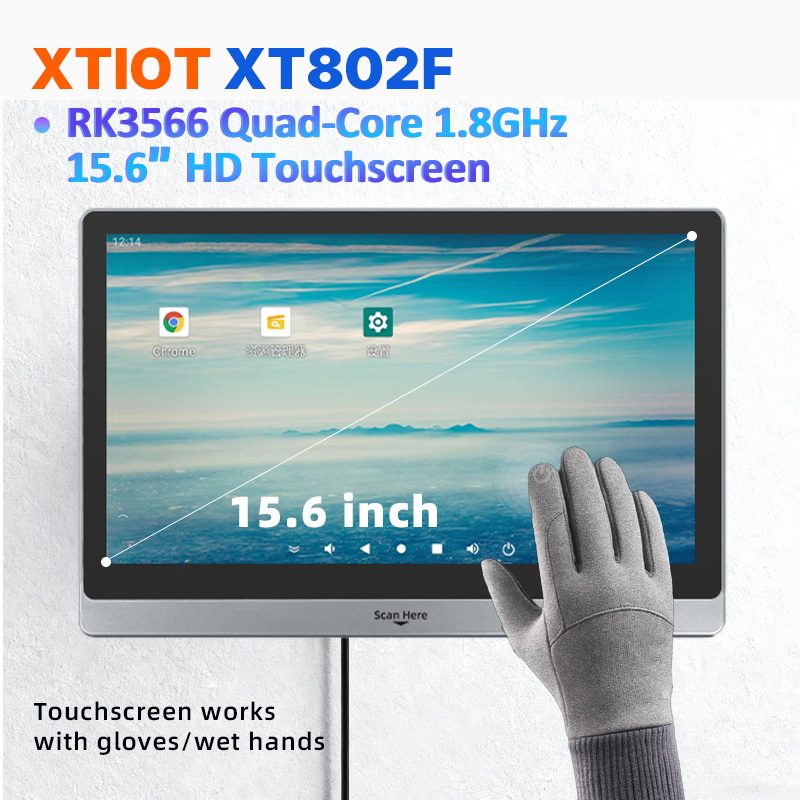
XT802F
The XT802F is a 15.6-inch Android 11 price checker with a 1366×768 capacitive touchscreen, RK3566 quad-core, 4G+64G, ...
See specs and selection →Get a configuration list for your store
Send us your store type, floor area and the number of mounting positions, and we will return a list with model quantities and mounting methods.